


HiHello: Digital Business Card
4.82.17K Reviews
App Specs
- Version
- 7.4.4
- Updated On
- License
- Free
- Downloads
- 500,000+
- Developer
- HiHello Inc
- Categories
- Business
- Platform
- Android, iOS
Screenshots
 Analysis by AppCompare
I used to think of a digital business card as a novelty: handy at a conference, perhaps, but not something I would keep opening once the first-week excitement wore off. HiHello makes a better case for staying installed because it connects two recurring tasks: sharing my own details and keeping track of other people’s. Whether that earns lasting space depends less on its templates than on how often you meet new contacts and whether you remember to use it.
A quick start, with a purpose beyond novelty
HiHello is a free business app from HiHello Inc, and its basic idea is easy to grasp: make a shareable identity card on your phone, then use the app to organize contacts. The app is rated for Everyone, has an average rating of 4.8 from around 14,000 ratings, and has passed 500,000 installs. Those figures suggest broad interest, but what matters in practice is whether a digital card fits the way you already introduce yourself.
My first-week impression is that setup is approachable if you have your work details ready. I can see it being useful for a freelancer who switches between client projects, a job seeker who wants to share a portfolio, or a small-business owner who meets customers away from a desk. The useful question to settle early is what belongs on the card: a phone number you answer, a work email you check, and one or two destinations that help someone continue the conversation. Adding every profile and link can make the card feel busy rather than helpful.
A practical tip is to prepare the card before the event, not while someone is waiting to exchange details. Check that the name and role are current, open the sharing option you expect to use, and make sure you can find the QR code quickly. This small rehearsal matters because a digital exchange still depends on two people having a moment to look at a screen. It is smoother when the card is ready than when you are editing it in the middle of an introduction.
Where recurring value comes from
The app’s strongest long-term case is the combination of giving and receiving information. A card that can be updated is more practical than a printed batch after a role or number changes, while a searchable collection is more useful than leaving paper cards in a bag. For someone who meets people regularly, that can turn a one-off exchange into a repeatable follow-up routine: collect a contact, find it later, and get in touch while the conversation is still fresh.
That routine is not equally valuable for everyone. If you rarely exchange professional details, a contact card in your phone or a simple email signature may already be enough. If you attend meetups, sales appointments, hiring events, or industry gatherings often, keeping the card ready and using the contact organizer can justify the extra app. I would judge it after several real exchanges, rather than by how polished the first card looks.
One useful workflow is to treat each new contact as a follow-up task, not just an entry in a digital address book. After a meeting, search for the person while you still remember the context and add a clear note in whatever place you use to manage your work, if that is part of your routine. The app can help you retain the contact; it cannot supply the reason to reconnect. That distinction keeps expectations realistic and prevents a growing collection of names from being mistaken for useful networking.
Worth Reading Before You Choose

EA SPORTS FC Mobile 26 Is a Bigger Football Game, but It Takes Time

Flipboard Shows What News Apps Must Do Beyond the Feed

Switching to Android Auto Means Rethinking Your Driving Routine

Google Calendar Makes a Crowded Week Easier to Manage

Ludo King Makes the Most of the Minutes Between Plans

Baby Panda World Brings Quick Play to Modern Phones, but Its Game Library Feels Busy
Maintenance, friction, and the alternatives
The maintenance burden is modest but real. Your card is only trustworthy if you revisit it when your role, preferred contact method, or public links change. I would also review what is visible before sharing: a version suited to a client may not be the one I want to hand to someone in a personal setting. Different card versions can help with that separation, but they also create another small responsibility—remembering which one to send.
Sharing by text, email, or QR code gives you choices, though none removes every bit of social friction. A QR exchange is quick when the other person is comfortable scanning it and has a phone ready; a text or email may feel more natural when you are already messaging. At a formal event, some people will still prefer a physical card, and a digital card is less useful if the other person does not want to open or save one. I would keep a simple fallback rather than turn the format into a test of whether someone is tech-savvy.
Compared with printed cards, HiHello is easier to update and does not leave you carrying a stack, but it depends on a phone and on remembering to share it. Compared with swapping contact details directly or using a basic phone contact, it offers a more deliberate presentation and a place to collect cards, yet it adds a separate app to maintain. The better option depends on the meeting: a paper card can be more comfortable in a traditional setting, while a direct contact exchange may be quicker when you already know you want to stay in touch.
There are also reasons the app may not become a habit. If most of your work contacts already arrive through email, messaging, or an existing customer system, another place to check can split your attention. And while customization can help a card feel personal, polishing colors and links is easy to overdo; the information and the follow-up matter more than the design. I would spend a few minutes making the card clear, then stop adjusting it until a real change gives me a reason.
The app is free to install, with in-app purchases ranging from $8.99 to $129.99 per item. I would start with the free experience and decide whether a paid option solves a specific need before spending anything. A person who only wants to exchange a name and email may have no reason to buy more; someone using digital cards as part of a broader professional routine can assess whether an upgrade is worthwhile for their own workflow. The current version is 7.1.0, and the listed minimum operating system is 7.0.
Navigating the Digital Landscape
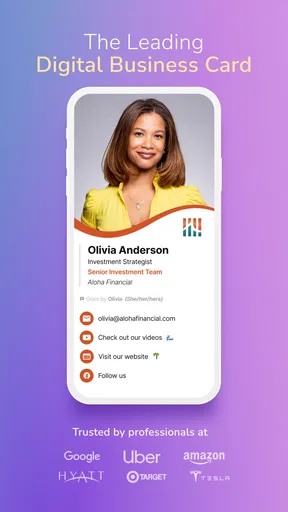
The first thing that struck me about HiHello is its sleek interface. Setting up was a breeze. Just download the app, and within minutes, you’re ready to create your digital business card. The app guides you through adding necessary details like your name, position, company, and contact info. There’s also room for a profile picture, which is a nice touch to personalize your card.
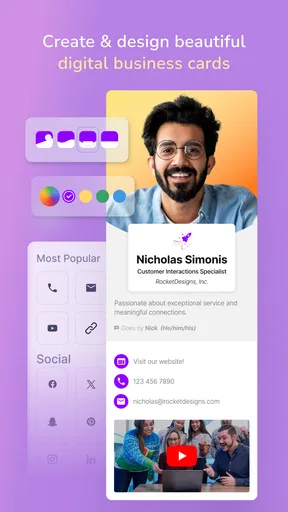
But what truly sets HiHello apart is the customization. You can choose from a variety of templates and color schemes, making your card as unique as you are. Want to add a touch of personality? There’s an option to include links to your social media profiles, websites, or even a video introduction. This feature is a game-changer for anyone looking to make a memorable first impression.
Effortless Sharing
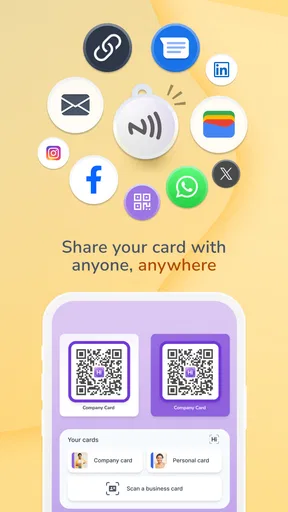
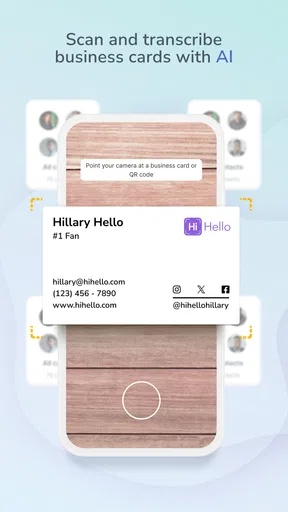
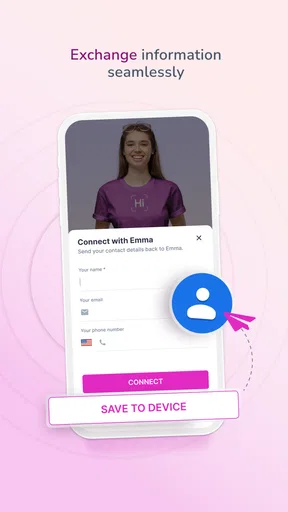
Sharing your card is where the magic happens. With HiHello, you can share your card via email, text, or even a QR code. Just imagine being at a networking event and seamlessly exchanging information without the hassle of physical cards. The QR code feature is particularly handy, allowing you to quickly share your details with anyone who has a smartphone.
Moreover, if you’re worried about privacy, HiHello has got you covered. You can control what information is shared and with whom. This means you can have different versions of your card for different audiences, ensuring you’re always presenting the most relevant information.
Staying Organized
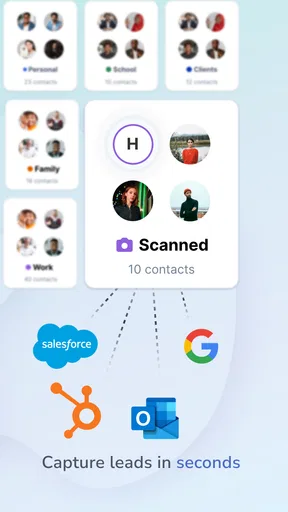
Beyond sharing, HiHello also acts as a digital rolodex, storing all the cards you collect in one convenient place. No more cluttered desks or lost contacts. You can search through your contacts with ease, making follow-ups a breeze. Plus, the app integrates with other tools like your phone’s contacts and email, ensuring a seamless experience.
Another standout feature is the app’s ability to keep your information up to date. If you change jobs or get a new phone number, simply update your details in the app, and everyone you’ve shared your card with will automatically have your most current information. It’s a small touch, but one that saves a ton of hassle.
The Digital Future
In a world that’s increasingly digital, HiHello feels like a natural evolution of the traditional business card. It’s eco-friendly, cost-effective, and incredibly convenient. Plus, it’s versatile enough for both professional and personal use. Whether you’re a freelancer, a corporate exec, or just someone who loves to network, this app has something for you.
Of course, like any app, it’s not without its quirks. Some users might miss the tactile experience of exchanging physical cards, and there’s always the concern of tech mishaps in crucial moments. However, these seem like minor inconveniences compared to the overwhelming benefits.
In conclusion, if you’re looking to step up your networking game, HiHello is definitely worth a try. It’s intuitive, customizable, and above all, it makes connecting with others simple and efficient. So, why not give it a shot? You might just find that going digital is the best card you can play.
What makes it stick—or not
For me, the best test is an ordinary workday rather than a big conference. Imagine meeting a prospective client at a café, agreeing to send details later, and sharing a QR code before leaving. The exchange is useful only if the client can save the information and I can recognize the contact afterward. When I collect several names in a short period, a searchable organizer is more valuable than a card design; when I meet nobody new for weeks, the app naturally recedes into the background.
That makes habit the deciding factor. I would keep the card’s most important information short, choose a sharing method that feels natural, and check the details whenever my work identity changes. I would also make a follow-up part of the same routine—such as reviewing new contacts at the end of an event—so the app supports an action rather than becoming a storage cupboard. The recurring value comes from that small process, not from repeatedly redesigning a card.
Pros
- Customizable design options available.
- Easy integration with LinkedIn.
- Includes QR code scanning feature.
- Supports multiple card templates.
- Environmentally friendly solution.
Cons
- Limited offline functionality.
- Free version has restricted features.
- No direct CRM integration.
- Requires internet for updates.
- Subscription can be costly over time.
FAQs for HiHello: Digital Business Card
What is HiHello and how does it work?
HiHello is a digital business card app that allows users to create and share personalized business cards electronically. You can design your card with various templates, add contact information, and include links to social media profiles. The app facilitates sharing via QR codes, email, or text, making it a convenient tool for networking.
Is HiHello available on both Android and iOS?
Yes, HiHello is available for both Android and iOS users. You can download it from the Google Play Store or the Apple App Store. The app is designed to work seamlessly across various devices, ensuring that you can share and receive digital business cards no matter which platform you're using.
Are there any costs associated with using HiHello?
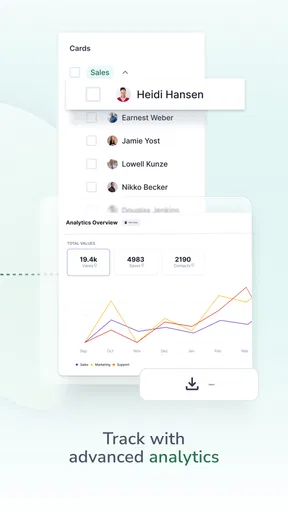
HiHello offers a free version with essential features for creating and sharing digital business cards. However, there are premium tiers that provide additional functionalities, such as advanced analytics, more design options, and integrations with CRM systems. Users can choose the plan that best suits their networking needs.
How secure is my information on HiHello?
HiHello prioritizes user security and privacy. The app uses encryption to protect your data and ensures that only the information you choose to share is accessible to others. Additionally, users have control over what details appear on their business cards, providing flexibility in managing privacy settings.
Can HiHello integrate with other apps or services?
Yes, HiHello offers integration capabilities with several apps and services. For instance, it can sync with your phone contacts and connect with CRM systems like Salesforce. This integration helps streamline contact management and ensures that your networking efforts are efficiently organized.


